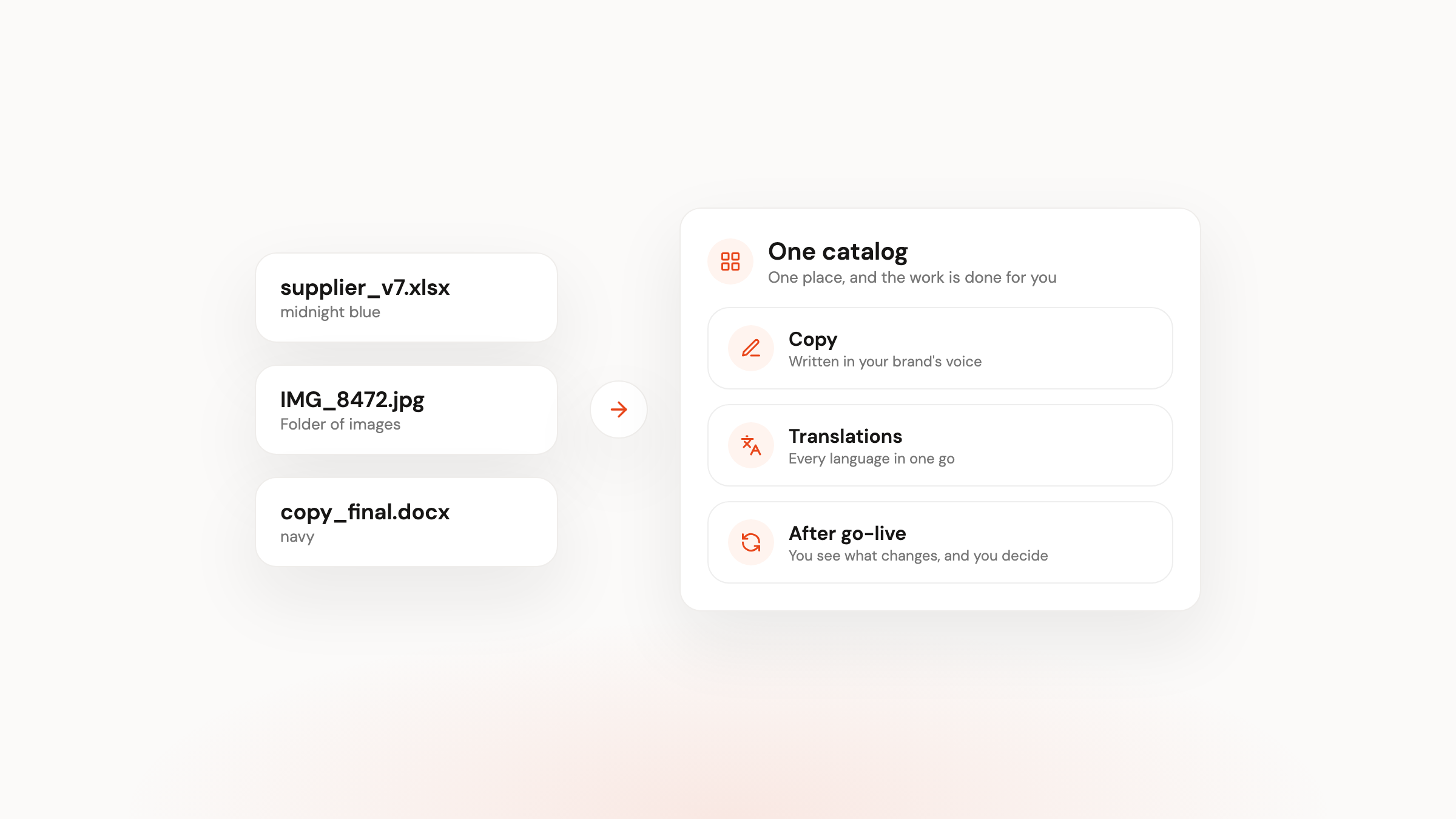
A supplier sends a spreadsheet. A colleague pastes the data into Shopify. The copy lives in a document and the photos sit in a folder full of files called IMG_8472.jpg. At some point nobody knows which version is right.
A PIM system solves that. It is the one place where all your product information lives, and from there it goes to your webshop and your other channels. Whether you need one depends on how many products, languages and channels you have. Here is how to decide, and where to start.
What is a PIM system?
PIM stands for Product Information Management. A PIM system is the central place for all your product information: titles, descriptions, attributes, images and translations. From that one place the information goes to your webshop and other channels.
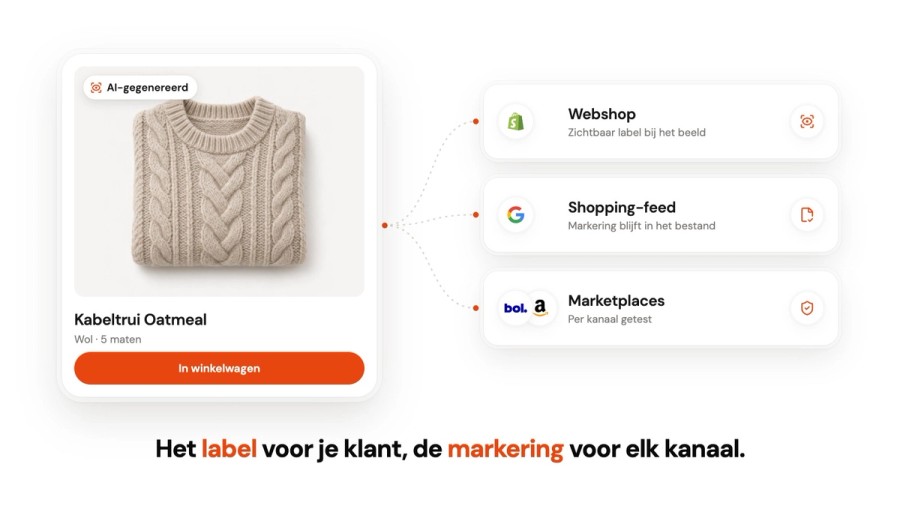
An example. You change the colour of a jacket once in your PIM. Your webshop, your Google Shopping feed and your marketplace all receive the change. Without a PIM you do it three times, and you often forget one.
What is the difference between a PIM, an ERP and your webshop?
Each system has its own job:
- Your ERP handles stock, purchasing and administration.
- Your webshop sells and shows the product to your customer.
- Your PIM makes sure the story about your product is right everywhere: title, copy, attributes, images and translations.
Many webshops use Shopify itself as their PIM. That works as long as you have one language and one channel. If you need more, read how a PIM for Shopify works.
Do you need a PIM? Five signals
Not every webshop needs one. If you recognise two or more of these signals, it is worth looking further:
- You sell hundreds or thousands of products, and new products wait too long before they go live.
- You sell in several languages, and not every language is equally up to date.
- You sell on more channels than your webshop, such as Google Shopping or a marketplace.
- Every supplier uses its own spreadsheet with its own names. Your supplier says midnight blue, your customer searches for navy.
- Your team spends more time copying and checking than selling.
Only recognise one? Then a tidy Shopify with clear agreements is often enough.
Why does a PIM sometimes deliver less than expected?
A PIM tidies up the place, but it does not fill itself. After the rollout your catalog is still incomplete. You now have one neat place that shows how much work is left. Three things often go wrong:
- A long rollout. A PIM asks for decisions about structure and fields. That takes time, and meanwhile the normal work continues.
- One more tool. The PIM sits next to the translation tool, the feed tool and the copywriter. The silos get cleaned up, but the number of tools grows.
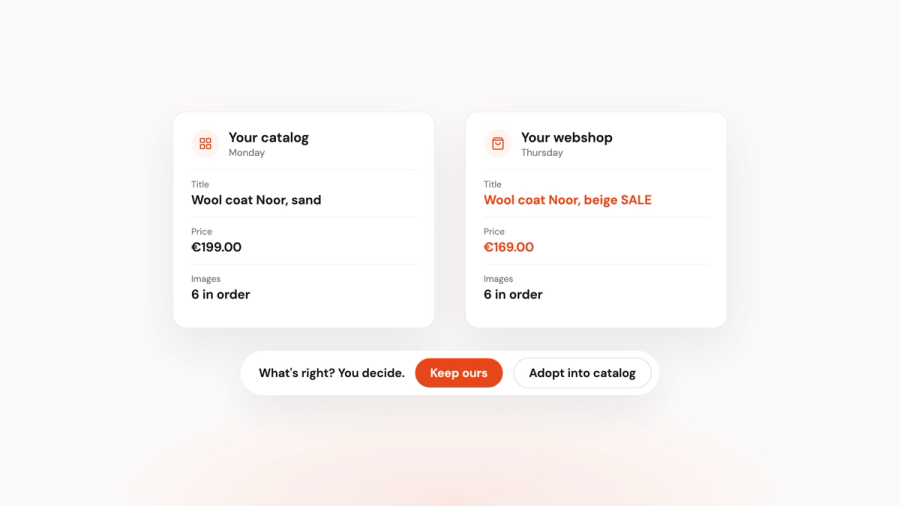
- Stopping at publishing. The product goes live and the monitoring stops. If a colleague changes something in the webshop, your webshop drifts away from your PIM anyway.
Which questions should you ask before choosing a PIM?
Do not only ask what a PIM can store. Ask these four questions:
- Can I start with my existing catalog, or do I start in an empty system?
- Who writes the product copy, and in which tone?
- How do translations get in, and do they stay current when a product changes?
- Who notices when something changes in the webshop after go-live?
The answers decide how much work your team still has after the rollout. How we answer them is on our page about PIM software from Automated Commerce.
Where to start this week
You do not need to choose a PIM first to see how big the problem is. Take these four steps:
- Pick ten products that came in new last month.
- Count for each product in how many places the data lives: spreadsheet, webshop, document, photo folder.
- Note how long it took from supplier spreadsheet to live, in every language.
- Check whether title, colour and price are the same on every channel.
Does the information live in more than two places, or did it take longer than a week? Then a PIM is worth considering.
Where Automated Commerce makes the difference
Automated Commerce is also that one place for your product information. The difference is what happens next: the work gets done for you, and you set the direction.
- You import your existing Shopify catalog and start with what is already there, not with an empty system.
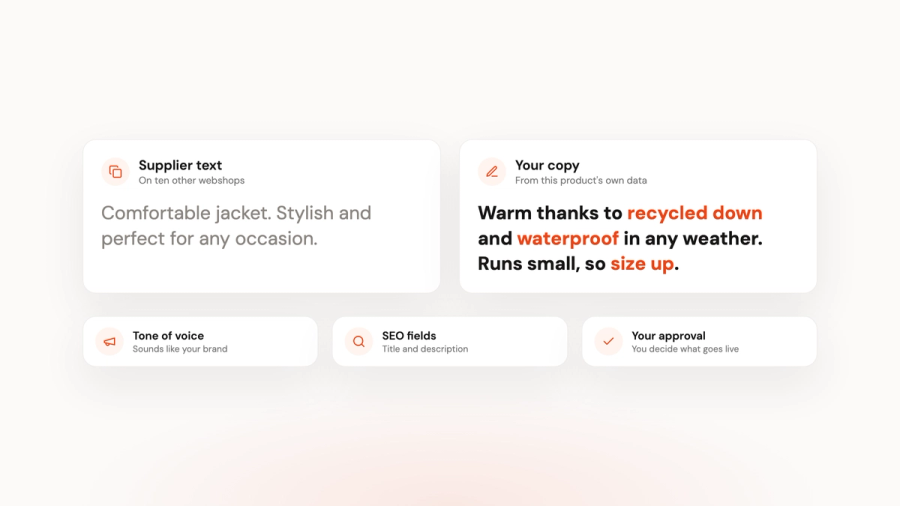
- Product copy is written in your brand's tone, and you decide what goes live.
- You translate into all your languages at once, without a separate translation tool.
- If something changes in Shopify after go-live, you see it and you decide what is right.
If you also sell on other channels, read how to sell on every channel from one product foundation. Not sure whether you need a PIM? Send us a message and we will look at your situation together.
Frequently asked questions
What exactly is a PIM system?
A PIM system is the central place for all your product information, such as titles, descriptions, attributes, images and translations. From that place the information goes to your webshop and other channels. You change something once, instead of in every system separately. That prevents differences between channels and duplicate work.
What is the difference between a PIM and an ERP?
Your ERP handles the business side, such as stock, purchasing and administration. A PIM handles the story about your product: the copy, the attributes and the images your customer sees. The two complement each other. An ERP knows how many jackets you have, a PIM tells why someone wants to buy that jacket.
Do I need a PIM if I already use Shopify?
Not always. With a small range, one language and one channel you often manage in Shopify itself. A PIM starts to pay off with hundreds of products, several languages or channels, and suppliers with their own spreadsheets. Then Shopify gets difficult as the only place for copy, attributes and translations.
Why does a PIM sometimes deliver less than expected?
Because a PIM organises information, but doesn't do the work by itself. Copy, attributes and translations still have to be made. Often the PIM ends up next to other tools, and monitoring stops at publishing. So also look at who writes the copy, who translates and who notices changes later.
How do I start with a PIM without a long implementation?
Start with what you already have, instead of an empty system. In Automated Commerce you import your existing Shopify catalog and define how your brand sounds. Then you tackle the products with the thinnest copy first. That way you see results quickly, without your regular work grinding to a halt.
Does Automated Commerce replace my current PIM?
That depends on what your PIM does for you now. Automated Commerce is also the central place for your product information, and on top of that writes and translates copy and shows what changes after go-live. Does your PIM work well? Then look mainly at how much work still surrounds it, and discuss the best route together.